
Hotel Wi-Fi combines shared bandwidth, captive portals, strict firewalls, and a router you definitely do not control. It can work for gaming. It can also turn a 2 GB patch into your weekend itinerary. Use a VPN for privacy on the shared network, not as a promise of lower ping. The hotel still owns the connection beneath the tunnel.
Networking claims and test steps were checked against the technical or official support sources linked below and the LagZero testing method.
IN THIS GUIDE
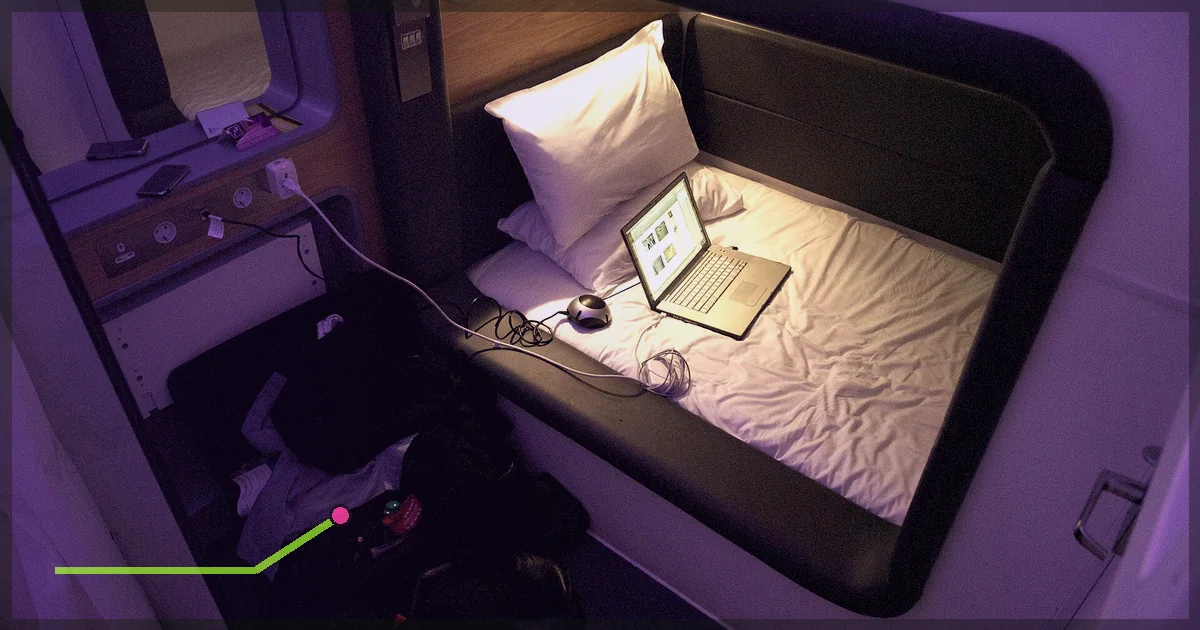
Hotel Wi-Fi combines shared bandwidth, captive portals, strict firewalls, and a router you definitely do not control. It can work for gaming. It can also turn a 2 GB patch into your weekend itinerary.
Use a VPN for privacy on the shared network, not as a promise of lower ping. The hotel still owns the connection beneath the tunnel.
Sign in before opening the VPN
Hotel networks often use a captive portal. Your device connects to Wi-Fi but has no internet until a web page accepts terms or asks for a room number.
- Disconnect LagZero.
- Join the hotel Wi-Fi.
- Open a browser and visit a plain HTTP page such as
http://neverssl.comto trigger the portal. - Complete the hotel’s sign-in.
- Confirm normal internet access.
- Connect LagZero to a nearby server.
- Check the public IP and launch the game.
A VPN can stop the captive page from loading because the network has not yet authorized the device. Portal first, tunnel second.
Why use a VPN on hotel Wi-Fi?
A VPN encrypts traffic between your device and its VPN endpoint. That reduces what other users on the local network and the hotel network can inspect in transit.
It does not make every account invincible. Keep HTTPS enabled, use unique passwords, turn on multi-factor authentication, and install updates. A tunnel cannot save credentials entered into a fake login page.
Enable the kill switch if protecting against an accidental fallback matters. Remember that a drop may disconnect the match.
Choose settings for a restrictive network
Start with:
- WireGuard
- Nearest VPN endpoint
- Single-hop connection
- Automatic DNS through the VPN
If the hotel blocks the connection:
- Try IKEv2 or OpenVPN UDP.
- Try OpenVPN TCP if UDP is blocked.
- Enable obfuscation only if LagZero offers it and normal methods fail.
- Ask hotel support whether VPN use is permitted.
TCP can pass through restrictive firewalls but may perform worse for real-time gaming. Working slowly still beats a fast protocol that cannot connect.
Get a console through the captive portal
PS5, Xbox, and Switch can struggle with hotel login pages.
Options include:
- Use the console’s browser or network-authentication flow if it exposes the portal.
- Ask the front desk or network provider to authorize the console’s MAC address.
- Use a travel router: sign the router into hotel Wi-Fi, then connect the console to your private travel-router network.
- Share an authenticated laptop connection.
Do not clone another guest’s address or bypass access controls. Ask for authorization.
For the VPN layer, follow the PS5, Xbox, or Switch 2 guide.
A travel router is the cleanest console setup
A compatible travel router can:
- Join hotel Wi-Fi as its internet source
- Complete the captive portal once
- Create a private Wi-Fi network for your devices
- Run a LagZero WireGuard or OpenVPN client
- Keep the same local network between trips
Check the router’s VPN throughput. Tiny hardware may handle browsing but struggle with fast downloads. For games, stable latency matters more than a huge speed-test number.
Reduce hotel gaming lag
Use Ethernet if offered
Some rooms still have an Ethernet jack. Ask whether it is active. A wired hotel link avoids local radio interference, though the upstream network remains shared.
Prefer 5 GHz or 6 GHz nearby
These bands have more capacity but shorter range. If signal is weak, 2.4 GHz may be slower yet more stable.
Avoid peak time
Hotel traffic rises in the evening. Download updates earlier and play competitive modes outside the busiest window if possible.
Stop your own background traffic
Pause cloud backup, launcher updates, streaming, and device sync. Meter the connection where the OS allows it.
Pick a nearby game and VPN region
Use the game’s nearest normal region and a VPN endpoint near you or the game. A location across the ocean will not turn continental breakfast into continental esports.
What a VPN cannot fix
- Weak signal to the hotel’s access point
- Too many guests sharing limited capacity
- A hard bandwidth cap per room
- Game-server outages
- A firewall that blocks required peer-to-peer behavior
- Strict NAT caused by multiple network layers
- Low FPS on your device
A VPN may bypass a route or traffic filter. It may also make strict NAT worse. Test both ways.
If the game is blocked
Confirm the hotel’s rules. Business and managed networks may intentionally restrict gaming or unknown UDP traffic.
If VPN use is permitted, try the fallback protocols above. If the game still fails, use a personal mobile hotspot within your plan and local rules. Do not attempt to evade explicit network restrictions.
Protect accounts on a trip
- Use the official hotel network name supplied by staff.
- Disable automatic Wi-Fi joining.
- Forget the network when leaving.
- Keep file sharing and network discovery off.
- Use multi-factor authentication.
- Avoid leaving a logged-in console in a shared room.
- Check account sessions after the trip.
FAQ
Is hotel Wi-Fi safe for gaming?
Treat it as an untrusted shared network. Modern game traffic is often encrypted, but a VPN adds protection between your device and the VPN endpoint. Account security still matters.
Will a VPN reduce hotel lag?
Usually not. It may improve a poor route, but it cannot fix crowded Wi-Fi or limited hotel bandwidth.
Why does the hotel login page disappear with the VPN on?
The device has not been authorized by the captive portal. Disconnect the VPN, complete portal sign-in, then reconnect.
Can I use a VPN on a hotel PS5 or Xbox?
Yes, through a VPN router, travel router, or shared computer connection. Console NAT may remain restrictive.
Pack LagZero before the trip and download the configuration while you still trust the Wi-Fi. The hotel lobby is a poor place to begin a cybersecurity origin story.
Sources
IMAGE CREDITS Standard Twin.jpg by Novotel Hong Kong Nathan Road Kowloon (CC BY 2.0); cropped and color-graded by LagZero. · Yotel room interior at Heathrow (2980029972).jpg by Dr._Colleen_Morgan from York, UK (CC BY 2.0); cropped and color-graded by LagZero.