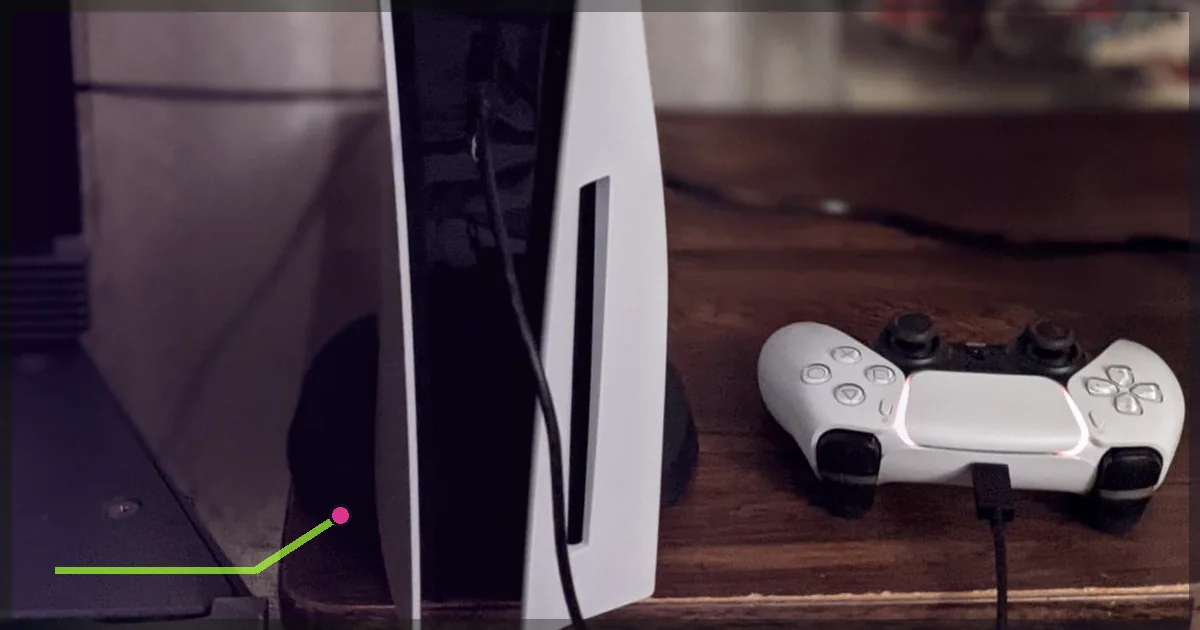
PlayStation 5 does not offer a normal system-wide VPN app. You connect it through another device instead: a VPN-capable router, a Windows PC, or a Mac. The router method is best for everyday use. Connection sharing is useful for testing before changing the whole network.
Device capabilities and setup constraints were checked against the official platform or operating-system documentation linked in Sources.
IN THIS GUIDE

PlayStation 5 does not offer a normal system-wide VPN app. You connect it through another device instead: a VPN-capable router, a Windows PC, or a Mac.
The router method is best for everyday use. Connection sharing is useful for testing before changing the whole network.
Before starting, confirm your current VPN provider supports the router or desktop method you plan to use. Interface names vary by app and operating-system version.
Method 1: Install the VPN on your router
This covers the PS5 and any other device connected to that router.
What you need
- A router with VPN client support
- LagZero manual configuration credentials or a compatible profile
- Access to the router’s admin page
- An Ethernet cable if possible
Many ISP routers do not include a VPN client. A page labelled “VPN passthrough” is not the same thing; passthrough merely allows devices to create their own tunnels.
Setup
- Sign in to the router’s admin page.
- Find VPN Client, not VPN Server.
- Add the your provider’s WireGuard or OpenVPN profile supplied in your account.
- Choose a nearby server.
- Save and connect.
- Connect the PS5 to that router by Ethernet or Wi-Fi.
- On PS5, open Settings > Network > Settings > Set Up Internet Connection.
- Select the router’s network and complete the connection test.
Some routers let you route only the PS5 through the VPN. Look for policy routing, device routing, or VPN director. This prevents every television and toaster from joining your ping experiment.
Best for
- Permanent use
- PS5 without a nearby computer
- Several consoles or streaming devices
Trade-offs
Router hardware can be slower than a modern PC, especially with OpenVPN. WireGuard support is preferable where available.
Method 2: Share LagZero from Windows
The PC needs internet access and a second network interface for the PS5. A common setup uses Wi-Fi for the PC’s internet and Ethernet from PC to PS5.
Setup
- Install and connect LagZero on Windows.
- Press
Windows + R, enterncpa.cpl, and press Enter. - Identify the LagZero VPN adapter.
- Right-click it and open Properties.
- Open the Sharing tab.
- Enable Allow other network users to connect through this computer’s Internet connection.
- Select the Ethernet adapter connected to the PS5.
- Connect the PC and PS5 with Ethernet.
- On PS5, choose Settings > Network > Settings > Set Up Internet Connection > Set Up Wired LAN.
- Use automatic IP and DNS settings, then test the connection.
If the sharing tab is missing, the app may use an adapter Windows does not expose normally. Contact your VPN provider’s support team or use the router method.
Common Windows fixes
- Disconnect and reconnect the VPN after enabling sharing.
- Confirm you shared the VPN adapter to Ethernet, not the other way around.
- Temporarily check whether Windows Firewall is blocking the shared network.
- Restart the Internet Connection Sharing service or reboot after saving the settings.
- If the PS5 gets no IP address, set sharing off, save, then enable it again.
Method 3: Share LagZero from a Mac
A practical arrangement is Mac on Wi-Fi, PS5 connected to the Mac by Ethernet through a compatible adapter.
- Connect LagZero on the Mac.
- Open System Settings > General > Sharing.
- Open the details for Internet Sharing.
- Share the connection associated with the VPN to the Ethernet interface.
- Enable Internet Sharing.
- Connect Ethernet to the PS5.
- On PS5, set up a wired LAN connection with automatic settings.
macOS versions and VPN tunnel types differ. Some VPN apps do not appear as shareable sources. If the VPN interface is unavailable, use a router instead.
Can you use a phone hotspot?
A normal iPhone or Android hotspot often shares the phone’s regular internet connection rather than the active VPN tunnel. Behavior changes by device and software version.
Test the PS5’s public IP after connecting. If it matches the phone carrier rather than the selected VPN location, the tunnel is not being shared. Do not assume a VPN icon on the phone covers every tethered device.
Choose the best PS5 server
Start with the nearest LagZero location. If you play in a specific game region, test an endpoint near you and one near that game data center.
A VPN may improve a poor route. It usually adds some latency to a healthy one. Read does a VPN lower ping? before judging the result.
Do not use a VPN to misrepresent your region during purchases or to gain an unfair competitive advantage. PlayStation account country/region is selected at creation and cannot normally be changed, according to PlayStation’s terms.
Test the connection
On PS5, open Settings > Network > Connection Status > Test Internet Connection.
Then test inside the game. The console’s speed test does not measure the route to every game server.
Record:
- NAT type
- In-game ping
- Packet loss
- Voice-chat behavior
- Disconnects
If NAT becomes restrictive, enable UPnP on the router or ask support about port handling. Avoid placing the PS5 in a router DMZ unless you understand the exposure.
Troubleshooting
PS5 has internet but the game will not connect
Switch to a nearby VPN location. Check the publisher’s status page. Some services block known VPN addresses.
Ping is worse
Use a closer endpoint, switch to WireGuard, and disable multi-hop. If the direct route remains better, disconnect the VPN for that game.
Voice chat breaks
The shared route or NAT type may block peer connectivity. Try router policy routing, another protocol, or a different server.
The PS5 shows the normal public IP
The console is bypassing the VPN. Recheck the router’s device policy or confirm Windows/macOS is sharing the VPN interface.
FAQ
Is there a normal VPN app for PS5?
PS5 does not support normal third-party system VPN apps. Use a VPN router or connection sharing.
Can I use a VPN on PS5 without a PC?
Yes. A VPN-capable router is the most reliable method and does not require a PC to stay on.
Will a VPN change my PlayStation Store country?
No. PlayStation states that the account country or region chosen during account creation cannot be changed. Follow store and account rules.
Which PS5 VPN method is fastest?
A capable WireGuard router over Ethernet is usually the cleanest setup. Actual performance depends on router CPU, server route, and your ISP.
Want to test your PS5 route? Join the LagZero launch list, start with Windows sharing, and move to a router only if the result earns the extra setup.
Sources
- PlayStation Network Terms of Service
- PlayStation Support: Country and region information
- Microsoft Support: Use your Windows PC as a mobile hotspot
IMAGE CREDITS PlayStation 5 and DualSense.jpg by Osh33m (CC BY-SA 4.0); cropped and color-graded by LagZero. · InclusiveGameLab Person-with-PS5-Controller 01 CC-BY-SA.jpg by InclusiveGameLab (CC BY-SA 4.0); cropped and color-graded by LagZero.