
Xbox Series X|S and Xbox One do not offer a normal system-wide VPN app. The reliable options are a VPN-enabled router or a computer sharing its VPN connection. Use the Windows method for a quick test. Use a router if you want the setup available whenever the console turns on.
Device capabilities and setup constraints were checked against the official platform or operating-system documentation linked in Sources.
IN THIS GUIDE
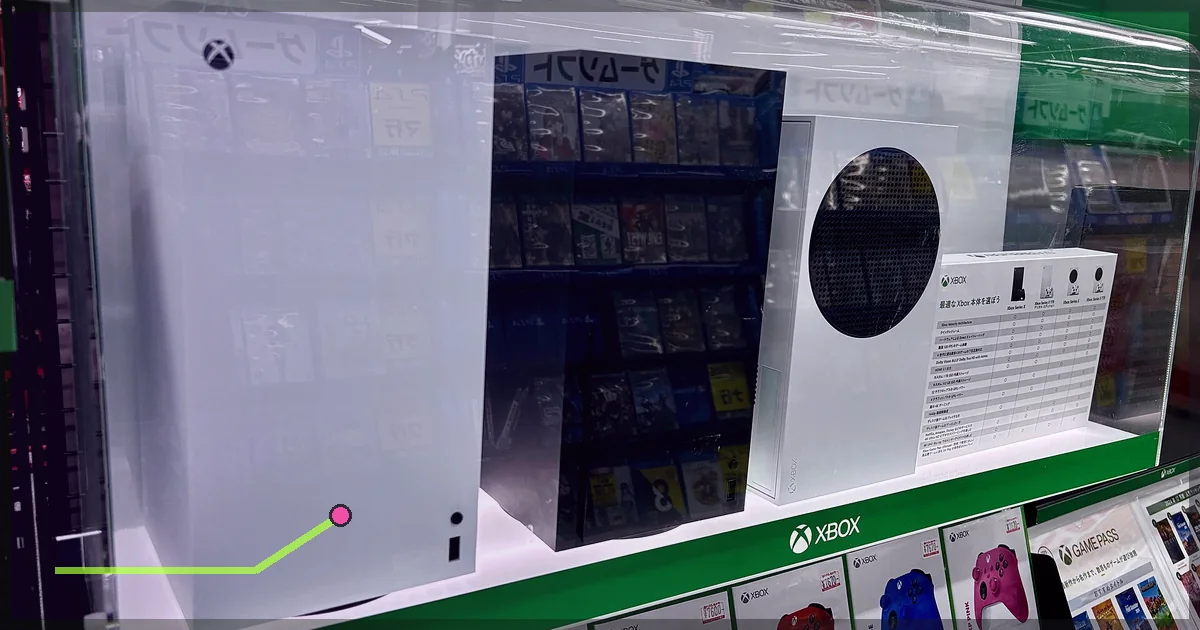
Xbox Series X|S and Xbox One do not offer a normal system-wide VPN app. The reliable options are a VPN-enabled router or a computer sharing its VPN connection.
Use the Windows method for a quick test. Use a router if you want the setup available whenever the console turns on.
Method 1: Connect Xbox through a VPN router
You need
- A router that supports a VPN client
- A your provider’s WireGuard or OpenVPN profile
- Router administrator access
- Ethernet, preferably
“VPN passthrough” does not install a VPN on the router. You need a client feature that can connect the router itself to LagZero.
Steps
- Sign in to the router’s control panel.
- Open VPN Client settings.
- Import the LagZero profile or enter the supplied credentials.
- Select a nearby endpoint and connect.
- If the router supports policy routing, assign only the Xbox to the tunnel.
- Connect Xbox by Ethernet or Wi-Fi.
- Open Settings > General > Network settings on Xbox.
- Select Test network connection.
Policy routing is useful because the VPN can cover Xbox while the rest of the house uses the direct line.
Method 2: Share LagZero from Windows
A desktop or laptop needs two network interfaces. The simple layout is PC on Wi-Fi, Xbox connected to PC by Ethernet.
- Install a reputable VPN app on Windows and connect to a nearby server.
- Press
Windows + R. - Type
ncpa.cpland press Enter. - Find the LagZero VPN adapter.
- Right-click it, choose Properties, then open Sharing.
- Enable Allow other network users to connect through this computer’s Internet connection.
- Select the Ethernet adapter connected to Xbox.
- Connect the console to the PC with Ethernet.
- On Xbox, open Settings > General > Network settings.
- Run Test network connection and Test NAT type.
If Xbox receives no address, disable and re-enable sharing. Confirm that the VPN adapter is being shared to Ethernet. Windows enjoys naming adapters “Ethernet 3” as if you were there for the first two seasons.
Method 3: Share from macOS
- Connect the Mac to the internet, usually over Wi-Fi.
- Connect LagZero.
- Connect the Xbox to the Mac by Ethernet.
- Open System Settings > General > Sharing.
- Open Internet Sharing details.
- Choose the VPN connection as the source and Ethernet as the destination.
- Enable sharing.
- Test the network and NAT type on Xbox.
Not every macOS VPN tunnel appears as a shareable source. If it does not, use a compatible router.
Can you set custom DNS instead?
Custom DNS is not a VPN. It does not encrypt Xbox traffic or send it through a different VPN route. DNS can help resolve service names, but it rarely lowers in-game ping after the connection is established.
Use automatic DNS while troubleshooting unless a specific resolver fixes a confirmed lookup problem.
Pick the right endpoint
Start close to home. If the game’s servers sit in another nearby region, compare one VPN endpoint near you and one near that region.
The VPN will normally add delay to a healthy path. It may help if your ISP’s route is poor. Our guide to VPN ping tests explains how to compare them without fooling yourself.
Use WireGuard where the router or desktop app supports it. Disable multi-hop and obfuscation unless the network requires them. The full setup is in best VPN settings for gaming.
Check the public IP
Open the Microsoft Edge app on Xbox and visit a reputable IP-check page. The location should match the selected VPN endpoint. If it shows your normal ISP, the console is bypassing the tunnel.
An IP geolocation database can be stale, so verify with more than one service if the city looks wrong.
NAT and multiplayer problems
A VPN adds another network boundary and can change NAT behavior. Xbox may show Open, Moderate, or Strict NAT.
If NAT becomes Strict:
- Try another LagZero location.
- Enable UPnP on your own router.
- Avoid stacking your ISP router, personal router, and PC sharing unless necessary.
- Ask support whether the selected endpoint supports the traffic the game needs.
- Use router policy routing instead of computer sharing.
Do not expose the console through a DMZ as a first move.
What Xbox rules say about regions
Microsoft’s community standards explicitly say not to use VPNs or similar tools to access lower prices, redeem out-of-region content, or bypass regional purchase restrictions. Microsoft describes disguising location during transactions as fraud.
So no, this guide is not a cheap-store trick. Use LagZero for a private connection, testing a poor route, safer hotel Wi-Fi, or permitted access while travelling. Follow game and platform rules.
Troubleshooting
Xbox connects but multiplayer fails
Check NAT type, switch endpoints, and confirm Xbox services are online. Voice and peer-hosted games can be especially sensitive to NAT.
Downloads are slow
Choose a closer endpoint and WireGuard. Router CPU may limit VPN throughput. Compare the same download without the tunnel.
Ping gets higher
That is expected if the normal route is already good. A closer VPN endpoint may help; otherwise use the direct connection.
The VPN drops when the PC sleeps
Disable sleep while sharing or use a router. The Xbox cannot borrow an internet connection from a laptop that has gone to bed.
FAQ
Can I install LagZero directly on Xbox?
No normal Xbox system-wide VPN app is available. Use a VPN router or share a connection from a computer.
Can I use a VPN on Xbox without a PC?
Yes. Connect Xbox through a VPN-capable router.
Can a VPN lower Xbox ping?
It can when it finds a better route, but it normally adds some delay. Test inside the same game region.
Can I buy cheaper Xbox games with a VPN?
Microsoft’s community standards prohibit VPN use to access lower prices, redeem out-of-region content, or bypass purchase restrictions. Do not do it.
Join the LagZero launch list through Windows first. If the route improves, then consider the router setup. Hardware upgrades should have to earn their keep.
Sources
- Xbox Community Standards
- Xbox Support: Update Microsoft account region
- Microsoft Support: Use your Windows PC as a mobile hotspot
IMAGE CREDITS Xbox Series S with controller.jpg by AsmodeanUnderscore (CC BY-SA 4.0); cropped and color-graded by LagZero. · Xbox Series XとSeries S.jpg by Kyu3a (CC BY-SA 4.0); cropped and color-graded by LagZero.