
A reliable Rust high ping fix starts by pressing F1 to check the NET tab and running perf 4 or ping in the console so you can compare your real round-trip latency against packet loss and wipe-day server load. Sort the in-game server browser by Ping to confirm you did not join an overseas host, lower Steam In-Game Server browser pings per minute from 5000 to 500 or 250 if refreshing the server list spikes your router latency, plug your PC or console directly into the router with an Ethernet cable, pause household uploads, and run pathping to see whether delay starts on your local network or an upstream ISP peering hop before testing a gaming VPN.
Checked against current Facepunch Studios Rust Wiki documentation for the F1 Console and Useful Console Commands (perf, ping, netgraph.enabled, and connect), Facepunch Studios Support guidance on Steam master server A2S queries and Rust Console Edition support, IETF RFC 8290 FQ-CoDel queue management standards, and Microsoft Learn pathping documentation on November 11, 2026.
IN THIS GUIDE
A real Rust high ping fix starts with finding out whether your packets are traveling across an ocean, waiting in a congested home upload queue, or taking a bad ISP detour to your clan’s server. In Rust, high latency delays weapon swaps, makes doors and code locks react late during raids, slows loot transfers, and causes projectile_invalid rejections in combatlog when the server receives your shots too late.
Before you waste time on random Windows registry scripts or public DNS changes, run through the checks below in order to isolate the exact hop adding milliseconds to your connection.
Check the F1 NET tab, perf 4, and ping before changing settings
Rust includes built-in telemetry inside the F1 developer console so you can measure round-trip time and packet loss directly in the client. As documented on the Facepunch Rust Wiki Console guide and Useful Console Commands reference, pressing F1 opens a five-tab window that includes CONSOLE, INFO, and NET:
- Join your Rust server and press
F1. - Click the
NETtab at the top of theF1window to inspect live connection metrics, including your current ping and packet loss. - Click the
CONSOLEtab, typeperf 4, and press Enter (perf 1shows FPS,perf 2adds frame latency,perf 3adds RAM usage, andperf 4adds live ping in the bottom-left corner). - You can also type
pingin theF1CONSOLEtab at any time to print your current server latency in milliseconds, or runperf 0to hide the overlay.
Rust symptom and F1 readout |
What it usually means | First diagnostic check |
|---|---|---|
Steady high ping (130 ms to 220 ms+) with 0% packet loss |
Distant server region or a detoured ISP peering path | Sort server list by Ping, verify location, and run pathping |
Normal ping (35 ms) that spikes past 150 ms every few seconds |
Wi-Fi airtime contention or wireless retransmissions | Plug your PC or console directly into the router with Ethernet |
Ping jumps to 300 ms+ right after refreshing the server browser |
Steam A2S query flood saturating your router NAT table |
Lower Steam > Settings > In-Game > Server browser pings / minute to 500 or 250 |
| Ping climbs whenever someone streams, uploads, or downloads | Home router upload or download bufferbloat | Pause transfers and enable router SQM (FQ-CoDel or Cake) |
Normal ping in perf 4, but players rubberband and NET shows loss |
Dropped UDP packets rather than distance | Follow our Rust packet loss fix guide |
If perf 4 shows a steady 40 ms ping and NET reports 0% packet loss while doors still open late for everyone in global chat, the server CPU is overloaded by wipe-day population, giant clan bases, or DDoS scrubbing. No local tweak will speed up a struggling server tick rate.
Verify server location and cap Steam A2S server browser pings
Unlike games with a single matchmaking button, Rust lets community, modded, and official hosts name their servers anything they want. A server titled “US Fast Wipe” can still be hosted in Europe, and joining a friend through Steam can pull you onto a distant continent.
- Sort the Rust server list by Ping: Click the Ping column header and test a regional server under
50 msto70 ms. If your ping is only high on one server, compare our high ping in one game or server guide. - Prevent Steam
A2Squery floods from spiking your ping: As Facepunch Studios Support explains, the Rust client asks the Steam master server for all active Rust hosts and sends thousands of Source EngineA2SUDP queries from your connection. While5000queries per minute populates servers faster on strong routers, firing5000UDP pings per minute overwhelms the NAT state table on many home routers. If your ping stays high after browsing servers, open Steam > Settings > In-Game, lower Server browser pings / minute from5000to500or250, and join your server via theF1console usingconnect IP:Port.
Plug directly into the router with Ethernet and stop upload bufferbloat
Rust streams constant UDP updates for movement, voice chat, deployables, and projectiles. Both Facepunch Studios and Double Eleven (who maintain Rust Console Edition on PlayStation and Xbox) recommend a wired connection because Wi-Fi is half-duplex: only one device on a channel can transmit at a time.
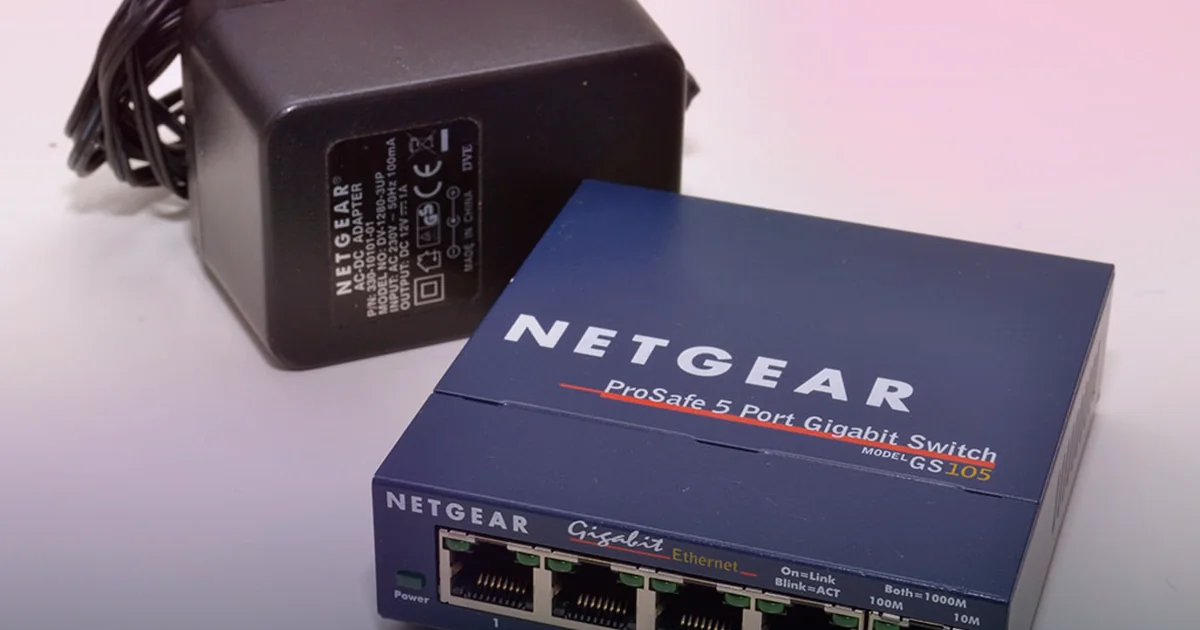
- Plug your PC, PS5, or Xbox directly into a router LAN port with an Ethernet cable. Turn off Wi-Fi in Windows or your console network menu so traffic uses the wire, and bypass powerline adapters or mesh extenders during testing.
- Stop background uploads, cloud syncs, and downloads. When Discord screen sharing, Steam downloads, cloud backups, or 4K streams saturate your bandwidth, Rust UDP packets wait in the modem buffer behind bulk transfers (bufferbloat). Pause transfers during raids, and enable Smart Queue Management (
SQMusingFQ-CoDelper IETF RFC 8290, orCake) capped at90%of line speed. See our ping spikes when downloading guide. - Skip DNS and TCP registry myths. Switching DNS to
1.1.1.1or8.8.8.8only resolves domain names before a connection starts; it never shortens the physical path of live UDP packets.
Trace where latency jumps with ping and pathping
When your PC is plugged directly into the router with Ethernet, household traffic is idle, you selected a nearby regional server, and perf 4 still shows high ping, measure where delay enters your path from Windows Command Prompt:
- Run
ipconfigto find your Default Gateway IP (192.168.1.1or192.168.0.1). - Test 50 packets to your router:
ping -n 50 192.168.1.1 - Test 50 packets to a public host:
ping -n 50 1.1.1.1 - Run
pathping -n 1.1.1.1(orpathping -nfollowed by your Rust server IP if it answers ICMP) and wait two minutes for the hop-by-hop summary.
Read the result from Hop 1 outward:
- Hop 1 (your router) spikes above
2 msto5 mson Ethernet: Swap the Ethernet patch cable and test a different LAN port. - Hop 1 stays at
<1 ms, but Hop 2 or Hop 3 jumps high across all targets: Your cable modem signal, fiber ONT, or local ISP node is congested. Reboot the modem and router, and save the log for your ISP. - Hops 1 through 3 are clean, but latency jumps by
40 msto90 ms+at a middle peering hop: Your ISP is taking a geographic detour or handing traffic through a congested transit exchange to that server host.
When a gaming VPN can help Rust high ping
Because Official, Community, and Modded Rust servers are hosted across many independent data centers, your ISP’s peering path to one host can be clean while its route to another host in the same region takes a long detour:
- When a gaming VPN may help: Your wired local Hop 1 is steady at
1 ms, the Rust server is physically in your region, and your ISP routes traffic through a distant city or congested evening peering exchange. Connecting through a nearby gaming VPN node with a cleaner backbone handoff to the server city may reduce round-trip latency. Read our honest guide on whether a VPN lowers ping. - When a gaming VPN cannot help: A VPN cannot reduce physical distance to an out-of-region server, fix Wi-Fi interference, stop local upload bufferbloat, or speed up an overloaded wipe-day server. As Facepunch Support also notes, leaving a VPN on while scanning the server browser can skew IP geolocation filtering and show servers from the wrong region.
- Server rule caveat: Many Community and Modded Rust servers use plugins that block commercial VPN or datacenter IP ranges to prevent ban evasion. Always check your server’s rules before connecting with a VPN, and never use a VPN to evade server or Easy Anti-Cheat bans.
LagZero is pre-launch and built for casual gamers who want honest route testing without fake zero-ping claims. If your wired local network is clean but evening ISP routing detours spike your latency to your clan’s server, join the LagZero waitlist for early access when testing opens.
FAQ
How do I show my live ping on screen in Rust?
Press F1 to open the developer console, select the CONSOLE tab, type perf 4, and press Enter to show FPS, frame latency, RAM usage, and live server ping in the bottom-left corner. You can also check the F1 > NET tab or type ping in the console.
Why is my ping so high on Rust when my internet speed is fast?
Speed tests measure bulk download bandwidth to a nearby web server, while Rust latency measures how fast small UDP packets make the round trip to a specific game server IP. Joining an overseas server, triggering a Steam A2S query flood, gaming on Wi-Fi, or hitting an indirect ISP peering route can cause high ping even on fiber.
Why does opening the Rust server browser make my ping spike?
When you refresh the server list, Rust sends thousands of Source Engine A2S UDP queries. The default 5000 queries per minute in Steam can fill up the NAT state table on home routers, spiking latency for several minutes. Lower Steam > Settings > In-Game > Server browser pings / minute to 500 or 250.
Can a gaming VPN lower high ping in Rust?
Only when the Rust server is relatively close to you, your wired home network is clean, and your ISP takes a detoured or congested peering route to that server’s data center. A VPN cannot overcome physical distance to a faraway continent, fix Wi-Fi spikes, or stop local downloads, and some community servers block VPN IPs.
Sources
- Facepunch Studios Rust Wiki: The Console (F1 CONSOLE, INFO, and NET tabs)
- Facepunch Studios Rust Wiki: Useful Console Commands (perf, ping, netgraph.enabled, and connect)
- Facepunch Studios Support: No servers showing (Steam A2S queries and VPN geolocation note)
- Facepunch Studios Support: Rust Console Edition Support (Double Eleven)
- IETF RFC 8290: The FlowQueue-CoDel Packet Scheduler and Active Queue Management Algorithm
- Microsoft Learn: pathping command reference
IMAGE CREDITS Coast Guard Gaming Shines in First International Esports Tournament at Ramstein Air Base (8498293).jpg by U.S. Coast Guard photo by Petty Officer 2nd Class Jasmine Mieszala (Public domain); cropped and color-graded by LagZero. · Netgear 5-port Gigabit Desktop Switch GS105.jpg by Photeka (CC BY-SA 3.0); cropped and color-graded by LagZero.