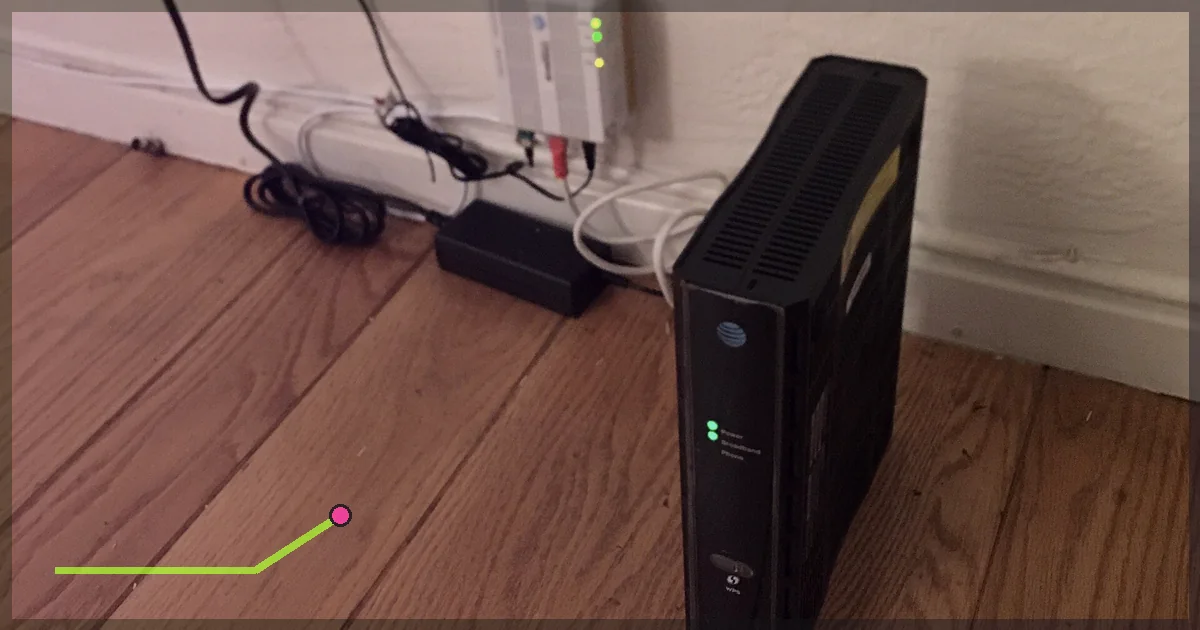
Your match freezes at 9:03pm. The ISP becomes the obvious villain. Sometimes it deserves the role. Often the real culprit is busy Wi-Fi, a full upload queue, a bad route, or the game itself. Throttling means an internet provider deliberately limits or deprioritizes certain traffic, users, or usage patterns. Congestion means the network has more demand than capacity. They can look similar from your chair, so one speed
Networking claims and test steps were checked against the technical or official support sources linked below and the LagZero testing method.
IN THIS GUIDE
Your match freezes at 9:03pm. The ISP becomes the obvious villain. Sometimes it deserves the role. Often the real culprit is busy Wi-Fi, a full upload queue, a bad route, or the game itself.
Throttling means an internet provider deliberately limits or deprioritizes certain traffic, users, or usage patterns. Congestion means the network has more demand than capacity. They can look similar from your chair, so one speed test cannot prove either.
Signs worth investigating
Look for a repeatable pattern:
- One service or game performs poorly while unrelated traffic is normal.
- The problem begins after a usage threshold.
- It appears during predictable hours.
- A nearby VPN route repeatedly improves the affected activity but does not simply inflate a generic speed test.
- Ethernet and local-network checks rule out your own Wi-Fi.
None of these alone proves deliberate throttling. Together, across multiple days, they make a useful case.
Before testing, remove local causes
Connect by Ethernet and pause downloads, streaming, cloud backup, torrents, and system updates. Reboot the modem and router only before the full test series, not between every result.
Ping your router. On Windows, open Command Prompt and run:
ping -n 50 192.168.1.1On macOS or Linux:
ping -c 50 192.168.1.1Your router address may be 192.168.0.1 or something else. Find the default gateway in network settings.
Packet loss or large spikes to the router point to a local problem. Fix that before judging the ISP.
Run a time-matched A/B test
A fair comparison changes one variable: the VPN route.
Round A: normal connection
- Disconnect the VPN.
- Record the date and exact time.
- Run a latency-under-load test.
- Record download speed, upload speed, unloaded latency, loaded latency, and packet loss.
- Play the same game mode and region for 10 minutes.
- Record median ping, range or jitter, and loss.
Round B: nearby VPN server
- Connect to the nearest suitable LagZero server.
- Repeat the tests immediately.
- Keep the same device, Ethernet cable, game region, and background activity.
- Save the results.
Alternate the order on the next day. If you always test the VPN second, changing network demand could bias the result.
Use this table:
| Date/time | Route | Unloaded latency | Loaded latency | Game ping | Packet loss | Notes |
|---|---|---|---|---|---|---|
| ISP direct | ||||||
| VPN nearby |
Repeat at a good time and the usual bad time for at least three days.
Read the result correctly
Everything gets worse at night
This points toward general congestion, saturated household bandwidth, or Wi-Fi interference. A VPN still uses your ISP’s access link, so it cannot create missing capacity.
One game is bad; everything else is fine
The problem may be the game service or your ISP’s route to it. Compare another server region and check the publisher’s status page.
The VPN reliably helps only the affected traffic
Traffic management or a route-specific issue becomes more plausible. The VPN hides the type and destination of traffic from parts of the path and may choose different upstream networks. It still does not prove intent. Your best evidence is the repeatable difference.
The VPN makes it worse
That is normal on a healthy route. The VPN adds a hop. Disconnect or try a closer endpoint.
Check latency under load
A connection may show 20 ms while idle and 300 ms when somebody uploads a video. This is often queueing delay, commonly called bufferbloat, not gaming-specific throttling.
If loaded latency is the problem:
- Enable smart queue management if your router supports it.
- Set realistic upload and download limits slightly below the line’s measured capacity.
- Keep the gaming device wired.
- Schedule large backups and downloads outside play time.
Buying a larger plan can help when the household truly fills the link, but good queue management often matters more than a giant headline speed.
Inspect the route, carefully
Traceroute shows the hops toward a destination:
Windows:
tracert example-game-host.commacOS or Linux:
traceroute example-game-host.comSome routers ignore these probes, so asterisks do not automatically mean packet loss. A hop is interesting when latency rises there and remains high on later responding hops. The final destination matters most.
Game companies do not always publish server hostnames, and many block probes. Use route data as supporting evidence, not a courtroom confession.
What to send your ISP
Support can work with specifics:
- Account and service area
- Wired device used for testing
- Dates and times
- Normal and bad-hour results
- Whether all services or one destination is affected
- Packet-loss and loaded-latency figures
- Traceroute outputs, if useful
- Steps already taken
Ask whether the local segment has a known capacity issue and request escalation to network support. Avoid opening with “you are illegally throttling me.” Even if you are right, the first-line script will develop selective hearing.
Can a VPN stop ISP throttling?
A VPN can help when the provider’s policy depends on recognizing a traffic type or when the VPN takes a better route. It cannot bypass a total data cap, restore exhausted network capacity, or fix your home Wi-Fi.
Read why games lag at night if the problem follows a daily schedule, and use our VPN gaming settings before comparing routes.
FAQ
Does slow gaming prove throttling?
No. High ping can come from local Wi-Fi, household queues, ISP congestion, routing, matchmaking distance, or the game server.
Can my ISP see that I am gaming through a VPN?
A VPN encrypts traffic between your device and the VPN endpoint. The ISP can generally see that you are connected to a VPN and measure traffic volume and timing, but not the same destination and content details it would see without the tunnel.
Is throttling legal?
Rules vary by country and service agreement. Save evidence and consult your local regulator or consumer authority for current advice.
What is the fastest proof?
There is no one-test proof. The strongest practical evidence is a controlled, repeatable, time-matched comparison after local causes have been removed.
Want a clean comparison route? Join the LagZero launch list. We cannot promise your ISP is guilty. We can help you collect receipts.
Sources
IMAGE CREDITS Home wifi.jpg by Mrbeastmodeallday (CC BY-SA 4.0); cropped and color-graded by LagZero. · EFTA00000441 - Server room filled with networking equipment cables and rack-mounted servers.jpg by Federal Bureau of Investigation (Public domain); cropped and color-graded by LagZero.