
If Ethernet stays stable but Wi-Fi has high ping, the delay probably begins on the wireless hop between your device and router. Compare a continuous gateway ping over Wi-Fi and Ethernet, then test distance, the 2.4 GHz and 5 GHz bands, interference, mesh backhaul, and the wireless adapter one change at a time.
Microsoft Wi-Fi troubleshooting, gateway ping, home-layout, and wireless-report guidance plus Intel wireless adapter settings and IETF queue-management recommendations were checked on October 3, 2026.
IN THIS GUIDE
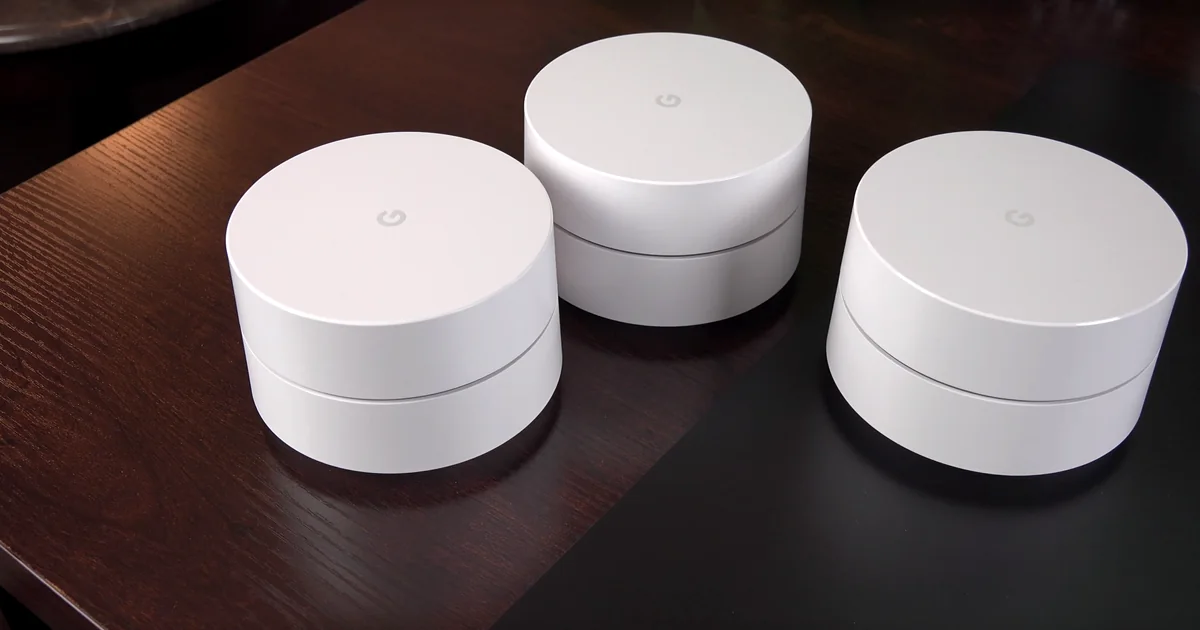
Why is my ping so high on Wi-Fi but not Ethernet? Because the wireless link adds variables that the cable removes: radio interference, distance, walls, shared airtime, band choice, mesh backhaul, adapter behavior, and retransmissions. Your internet plan can be healthy while the short trip from gaming device to router is having a tiny radio argument.
First prove where the delay begins.
Confirm that Wi-Fi is the only path with high ping
Use the same PC or console, game region, room, and 30-minute window. Pause downloads, cloud sync, livestreams, and updates. Test Wi-Fi, Ethernet, then Wi-Fi again. Repeating the wireless test helps catch a temporary improvement caused by quieter household traffic.
On Windows, open Command Prompt and run ipconfig. Find the Default Gateway under the active Wi-Fi adapter. Open two Command Prompt windows and run:
ping -t YOUR_GATEWAY_IPping -t 1.1.1.1Play until the lag appears, then press Ctrl+C in each window. Microsoft documents ping -t as a continuous test that reports round-trip times until you stop it.
Read both tests together:
| Gateway result | Public result | Better first suspect |
|---|---|---|
| Gateway spikes with the game | Public ping also spikes | Wi-Fi signal, interference, adapter, access point, or mesh hop |
| Gateway stays stable | Public ping spikes | Router queue, modem, ISP path, or wider route |
| Both stay stable | One game shows high ping | Game region, route, telemetry, or server load |
| Wi-Fi spikes, Ethernet stays clean | Same device and time | The wireless path, not automatically the ISP |
One delayed reply does not prove a fault. Routers can give diagnostic traffic less attention while forwarding game traffic normally. Look for a repeated pattern that matches the in-game spike.
If Ethernet also jumps, switch to the broader high ping in games but good internet checklist. If packets disappear rather than arrive late, use the Wi-Fi packet-loss guide.
Test distance, walls, and the other Wi-Fi band
Move the gaming device temporarily into the same room as the main router or access point. Keep the game region and test destination unchanged. If gateway ping becomes stable nearby, placement or signal path is involved.
Then test both available bands instead of treating one as universally better:
- 5 GHz or 6 GHz can provide more capacity and cleaner airtime at short range, but walls and floors weaken the signal more quickly.
- 2.4 GHz travels farther and through obstacles better, but it often shares crowded spectrum with more networks and household devices.
Microsoft recommends trying another frequency band during Wi-Fi troubleshooting. Use whichever produces the most stable gateway ping in the real gaming location, not whichever has the bigger number in its name.
Router placement matters too. Put the access point in an open, elevated, central position when practical. Avoid hiding it behind a television, inside a cabinet, beside a large metal object, or at the opposite end of several dense walls. Do not move production network gear without noting its original position and settings.
A speed test may still look excellent during bad Wi-Fi latency. Download throughput is an average over a transfer. A game notices brief delays and retransmissions that an impressive megabits-per-second result can politely ignore.
Separate interference from household traffic
Run the gateway ping while changing one condition at a time:
- Test when nearby streams, backups, and downloads are paused.
- Test with Bluetooth accessories temporarily disconnected if the problem is mainly on 2.4 GHz.
- Note whether spikes line up with a microwave, wireless camera, baby monitor, or another repeatable event.
- Use the router’s own channel survey or app, if available, to compare channel congestion.
- Let automatic channel selection settle before judging it, or follow the router maker’s instructions for a manual channel test.
If high ping appears only when another device is uploading or downloading, the issue may be queueing rather than radio signal. Test Ethernet under the same load. When loaded latency rises on Ethernet too, well-implemented Smart Queue Management or QoS may help control the queue. The IETF recommends active queue management to limit persistent delay, but a generic “gaming mode” label is not proof that a router manages queues well.
For that specific pattern, follow the ping spikes when downloading test or the high ping while streaming guide. The upload side is often the sneaky one because home plans commonly have less capacity going out than coming in.
Check mesh backhaul and extra wireless hops
A mesh node can show strong signal to your gaming device while having a weak wireless connection back to the main router. That creates two radio hops, and the second one may be the messy part.
Check the mesh app for the node’s backhaul status. Then compare:
- Wi-Fi beside the main router;
- Wi-Fi beside the mesh node;
- Ethernet connected directly to the main router;
- Ethernet connected to the mesh node, if it offers a port.
If the main router is clean but the mesh node is not, reposition the node where it receives a strong backhaul signal. Putting a node inside the dead zone asks it to relay a bad connection with confidence. Wired backhaul can remove that wireless relay when your hardware and home layout support it.
Also confirm that your device is connecting to the intended node. A client that clings to a distant access point can have high latency despite standing beside a closer one. Reconnect Wi-Fi after moving, then verify the connected access point in the router or mesh app.
Inspect the Wi-Fi adapter and driver on Windows
When one device has high Wi-Fi ping but other devices in the same location stay clean, focus on that device.
First, install the current wireless driver from the PC, motherboard, or adapter manufacturer. Record the existing version so you can roll back if the update makes the connection worse. Do not download drivers from random “optimizer” sites.
Windows can generate a wireless network report from an administrator Command Prompt:
netsh wlan show wlanreportMicrosoft says the HTML report includes Wi-Fi sessions from the previous three days, adapter and driver details, disconnect reasons, and connection events. Use timestamps to match an event to the laggy session. The report is evidence, not an automatic verdict.
In Device Manager, open the wireless adapter’s Properties and inspect the Advanced tab. Names vary by adapter and driver. Intel notes that some adapters expose band, channel width, roaming, transmit power, and scan behavior settings. Change only a documented option, record the original value, and retest. Copying a random list of “best gaming settings” can disable useful features or create a compatibility problem.
Use Windows Network Reset near the end, not as the opening move. Microsoft warns that it removes and reinstalls network adapters and may require VPN or virtual-network software to be configured again.
Know when a VPN test makes sense
A VPN cannot repair weak Wi-Fi, radio interference, poor mesh backhaul, or an unstable wireless adapter. The tunnel still crosses the same local radio hop.
Only test an alternate route after gateway ping stays stable and Ethernet and Wi-Fi behave similarly. Choose a nearby endpoint, keep the game region fixed, and compare repeated direct and tunneled sessions. A VPN may help when the upstream route is inefficient, or it may add delay. Keep it only when the broken metric improves repeatedly.
Our honest VPN ping guide explains that A/B test. LagZero is still pre-launch, so join the waitlist if you want to compare routes when access opens. No promise that a tunnel can negotiate with your apartment’s crowded Wi-Fi channel.
FAQ
Why is Wi-Fi ping high when my speed is fast?
Speed tests measure bulk throughput, while games are sensitive to short delays, jitter, and retransmissions. A Wi-Fi link can move plenty of data overall but still pause individual packets because of interference, weak signal, shared airtime, or mesh backhaul.
Why is Ethernet stable but Wi-Fi ping keeps spiking?
Ethernet removes the radio hop. If the same device and destination stay stable on Ethernet, test Wi-Fi distance, walls, band selection, channel congestion, mesh backhaul, and the wireless adapter before blaming the ISP.
Should I use 2.4 GHz or 5 GHz for gaming?
Test both in the actual gaming location. 5 GHz often offers more capacity at short range, while 2.4 GHz can travel farther through obstacles but may be more crowded. The best band is the one with the most stable repeated gateway ping, not simply the highest advertised speed.
Will changing DNS fix high ping on Wi-Fi?
Usually not after a match is connected. DNS helps translate a service name into an address. It does not remove radio interference, improve signal, fix mesh backhaul, or shorten a full Wi-Fi queue.
Can a gaming VPN fix high Wi-Fi ping?
Not when the delay begins between your device and router. A VPN may help only after the local gateway stays stable and an upstream route remains the likely problem. It can also add latency, so compare repeated sessions.
Sources
- Microsoft Support: Fix Wi-Fi connection issues in Windows
- Microsoft Support: Analyze the wireless network report
- Microsoft Support: Wi-Fi and your home layout
- Microsoft Learn: ping command
- Intel Support: Advanced Intel wireless adapter settings
- RFC 7567: IETF recommendations regarding active queue management
IMAGE CREDITS T1 Base Camp PC bang interior - 2023-07-21.jpg by Wvdp (CC0); cropped and color-graded by LagZero. · Google WiFi router.png by homethods.com (CC BY 2.0); cropped and color-graded by LagZero.